
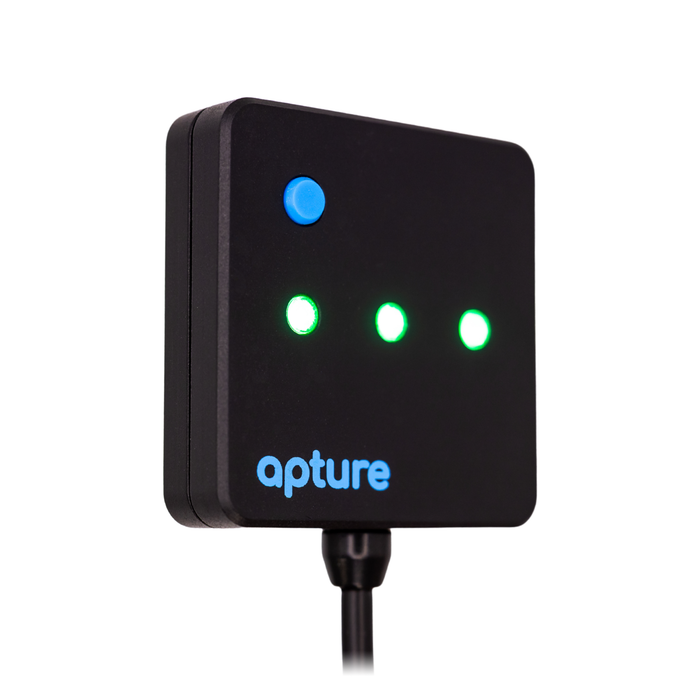


The new Apture RemoteGP is a professional motorsport camera controller designed to control GoPro cameras. It provides wireless control, and monitoring, of up to 3 cameras simultaneously – enabling simple control of recording start/stop and ensuring race footage is never missed.
Summary of Apture RemoteGP:
• Controls up to 3 GoPro cameras per RemoteGP unit
• Enables easy stop/start control of recording to ensure no footage is missed or waisted
• Simple camera control via; CAN Bus, external switch, external button, or built-in button, or a combination several of the listed options.
• CAN Bus control is full customisable and recording can be made to automatically start when conditions are met. E.g. stage mode or anti-lag activated.
• Provides recording control and reliability similar to Aim Smartycam and Racelogic Vbox, but with the superior image quality and stabilisation of GoPro cameras.
• Makes GoPros more robust by monitoring the cameras and provides warning of any errors. Apture SmartStart continually attempts to restart recording if a camera error stops recording.
• Enables highlight tag marks to be placed in the video footage for later review – perfect for rally recce.
• Works with GoPro cameras from Hero7 onwards, including the new Mission 1. No modifications to the standard cameras are required.
• Comes with pre-configured settings, but is fully user customisable via a desktop PC application.
• Several accessories are available.
Features
Recording made easy enabling the team to focus on driving, the Apture RemoteGP ensures that capturing race footage with GoPro cameras is made simple by controlling recording via flexible options. Starting and stopping of recording to be undertaken by any of the options below:
• An external switch – can be any switch wired into the external control wire of the RemoteGP wiring loom
• An external button – can be any button (momentary) wired into the external control wire of the RemoteGP wiring loom. The AGP004 Apture Remote Button with Built-in LED is the preferred choice and plugs in.
• Built-in control button – Blue button on the RemoteGP itself.
Accessories:
Related Products


